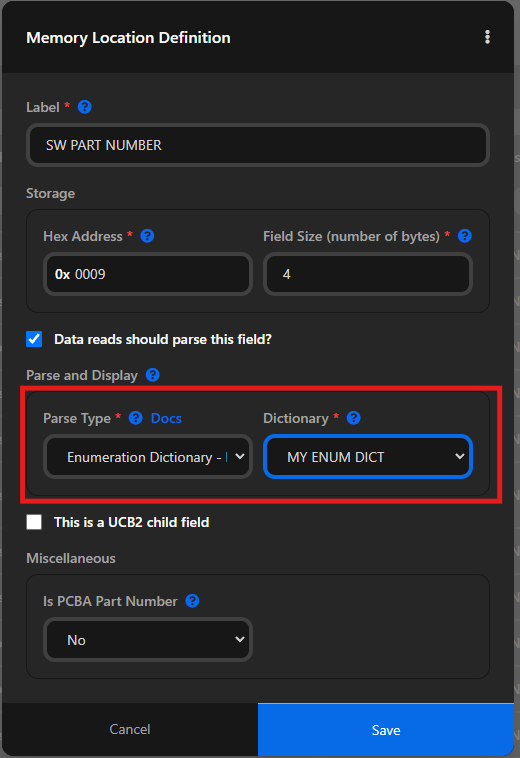
Enumeration Dictionaries
What is this?
The "Enumeration Dictionary" parse type allows you to map particular values to human readable labels.
Example
Lets suppose our product tracks which direction the motor last ran.
The value could be 0x01 or 0x02
We could define an enumeration diction to label 0x01 as "Forward" and 0x02 as "Reverse".
When the raw data is parsed, people viewing the parsed data will then see the nice, human readable labels.
Adding a new dictionary
Step 1: Navigate to the memory map for your product
If you haven't already created a memory map, create one first.
Then, navigate to it.
Step 2: Click "Manage" on the Enumeration Dictionaries section

Step 3: Click "Add Enumeration Dictionary"
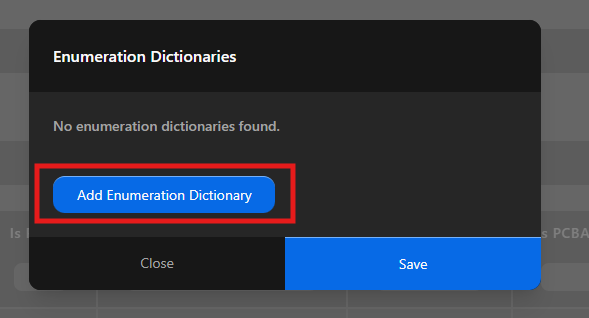
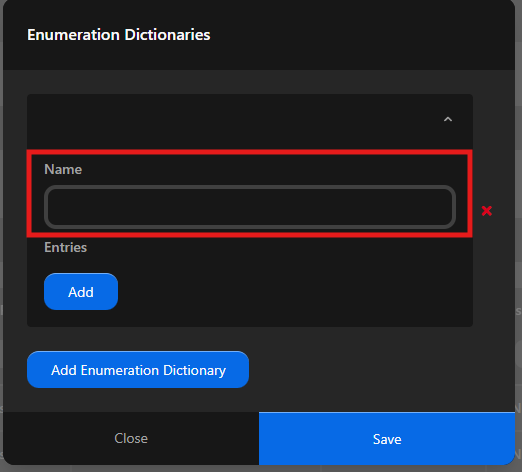
Step 4: Give your dictionary a name and Save
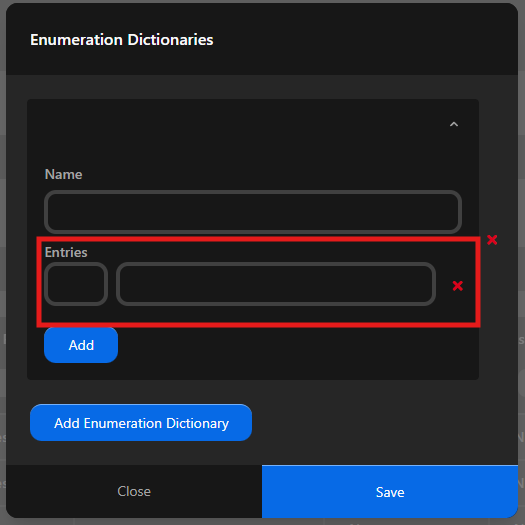
Step 5: Click "Add" under entries
Enter the key and value for the entry
The Key should match the value being returned by the tool to match against
Repeat this step for each entry in the dictionary.
Step 7: Assign your dictionary to a particular memory location
Click on the memory definition that you want to assign the enumeration to

Select the desired dictionary from the drop-down